GAME GUIDE
Stair Chase Controls and Escape Guide: Find an Exit After 120 Seconds
Learn movement and camera controls, read footsteps and elevator displays, find exits unlocked after 120 seconds, and use the replay to understand a capture.
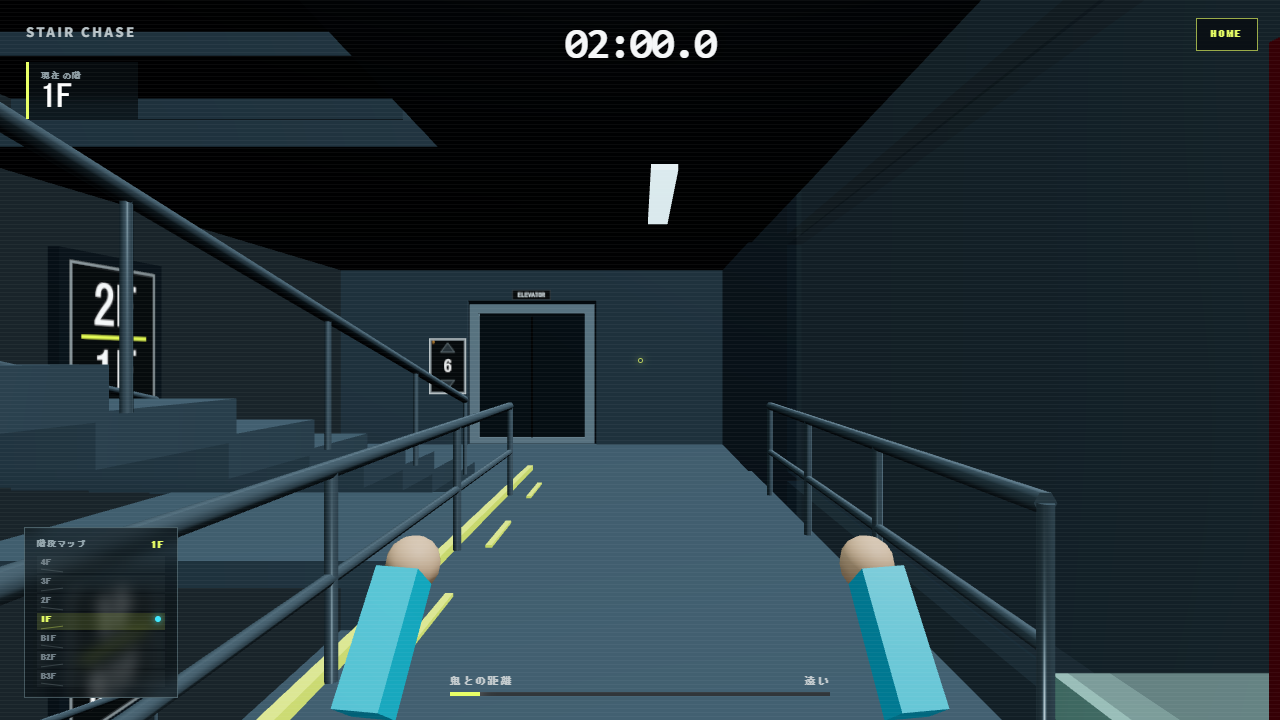
Survive 120 seconds, then escape through an exit
Stair Chase is a solo game about escaping a pursuer inside a building. Exits unlock after 120 seconds, but reaching that time does not automatically win the game. You must reach an unlocked exit, open the door, and run outside.
Exit floors repeat every five floors around 1F: examples include 1F, 6F, and 11F, or B4F and B9F below ground. Near the end, check how your current floor relates to an exit floor as well as watching the timer.
Control movement and the camera separately
| Action | Desktop | Mobile |
|---|---|---|
| Forward and backward | W and S | Left pad |
| Strafe | A and D | Left pad |
| Look around | Mouse drag or arrow keys; Q/E for left/right, R/F for up/down | Right pad |
| Start or retry | Space, Enter, or the on-screen button | On-screen button |
Movement is relative to your view. The camera does not automatically turn toward your route, so practice looking before a turn. Gamepads are supported: move with the left stick and look with the right stick or directional pad.
Try looking around and then making a short movement to learn the separate roles of the two pads. The HOME control also allows pausing, resuming, or restarting during play.
You use stairs; the pursuer can also use elevators
The player travels by stairs. The pursuer can use both the stairs and two elevators, anticipating your route and reversals to get ahead. Treat elevator floor displays and arrival sounds as clues rather than trying to ride an elevator yourself.
A moving elevator does not necessarily carry the pursuer: empty elevators can move as decoys. Combine the display with footsteps, distance information, and the map instead of immediately reversing whenever an elevator moves.
Use the screen and sound to choose a route
- Check your floor in the upper-left display or on the walls. The lower-left map shows your floor and elevator positions.
- Check footsteps and distance. Footsteps vary with distance and left/right position; headphones help you compare directional cues.
- Read elevator numbers and travel direction, and listen for arrivals. Consider whether the pursuer could meet you at the next landing.
- When changing route, turn the camera to inspect the destination. Poles at the top and bottom floors take you to the opposite end, providing an option beyond a dead end.
This is an example observation sequence. Decoys and interception mean that repeatedly running in one direction is not a guaranteed escape. Alternate between maintaining distance and checking the next route.
After exits open, and after a capture
When the final-ten-seconds cue appears, consider a path to an exit floor. After the EXIT OPEN message, head for a central exit on a floor in the five-floor pattern. If the pursuer is close, keep checking distance and floor information instead of waiting in front of a door.
After a capture, a third-person replay shows roughly the previous five seconds. Look for an approach from a direction you missed or an elevator interception. In the next attempt, add a check for that particular cue so you can compare the situation.
If mobile audio is silent, tap the screen to start and check device volume. Browser restrictions enable audio only after the first interaction.