GAME GUIDE
How to play Macho Shaker
Choose a muscle and shake a protein shaker to grow it in this 3D browser game. Rotate the character to inspect the changes and shape the body your way.
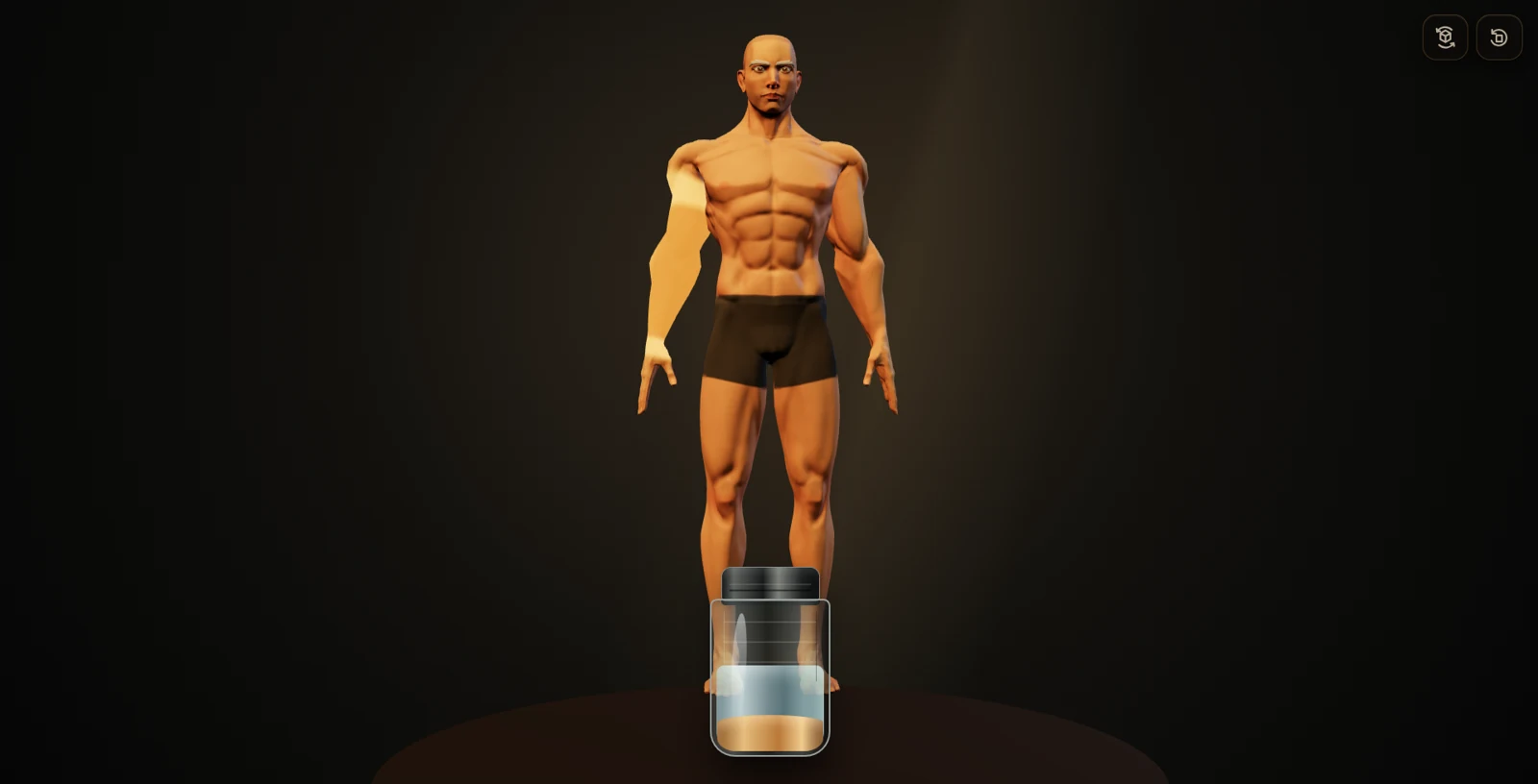
Choose a muscle to grow
Click or tap the 3D character to select a body region. Choose from the arms, shoulders, chest, abs, back, glutes, and legs, and decide which part you want to grow.
Shake eight times to grow
Click or tap the shaker in the foreground to mix its contents. After eight shakes, the protein is ready and the selected muscle grows. Wait for the animation to finish, then keep growing the same region or choose another one.
Rotate to inspect the changes
Drag the character left or right to reach muscles on the back. Automatic rotation lets you view the body from different angles. Clicking the selected region again clears the selection and enters viewing mode.
Build the body your way
Focus on one muscle or work through the whole body. Start with one region and eight shakes to see how selection and growth work, then choose your next region. Growth progress is saved in the browser you use.
Explore more
Compare one growth step from the same angle
- View the character from the front and select one muscle, such as the chest.
- Press the shaker eight times and wait for the animation.
- Clear the selection and inspect the same front view.
- Rotate to the side to compare the depth as well as the outline.
Changing several muscles and the viewing angle at once makes the difference harder to judge. Start with one region and one growth step before experimenting with a whole-body shape.
Selection and saved progress
Rotate the character to reach the back. Release a drag before tapping a region, and remember that selecting the same muscle again clears the selection. Progress belongs to the current browser: changing devices, clearing browser data, or resetting will not preserve the same body.
The growth and protein effects are game mechanics. They do not describe real muscle growth rates, exercise programmes, or nutritional amounts.