GAME GUIDE
Reverse Buzz Wire Controls and Strategy: Move the Maze, Not the Point
Learn how dragging the maze changes its position around fixed red points, identify the real EXIT, negotiate corners, retry failures, and review stage clear times.
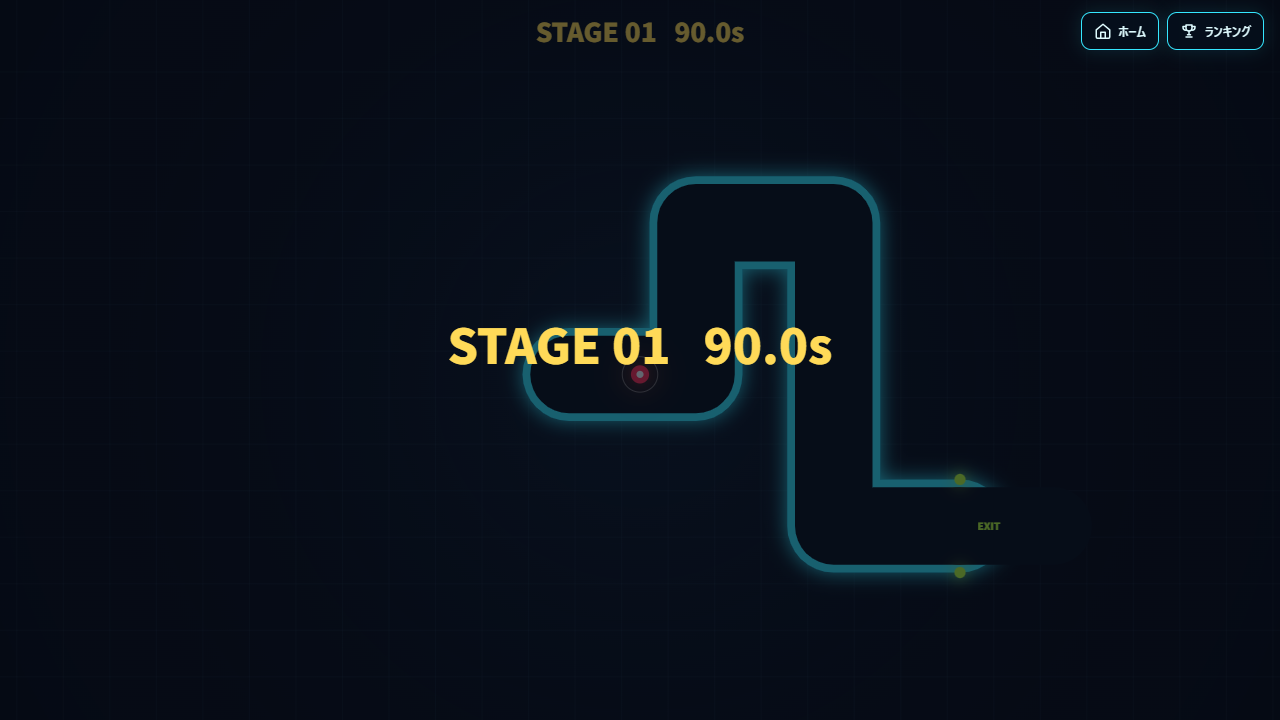
Move the whole maze, not the point
Reverse Buzz Wire does not give you direct control of the red point. Drag the whole maze with a mouse or touch, avoid bringing a fence into contact with the point, and extract it through the real EXIT. Because the maze moves, the point appears to travel the opposite way inside its passages.
For example, moving the maze left moves the point right relative to the maze. Learn this relationship with short movements first. There are 30 stages; practice reaching an exit without touching a wall before focusing on speed.
Controls on desktop and mobile
- Start and inspect the maze and point positions.
- Hold the mouse button or keep a finger on the screen to drag the maze. You do not move the point with keyboard controls.
- Approach corners with smaller movements, watching the point's position relative to the passage before changing direction.
- Extract the point through the real EXIT. Stages with multiple points require extracting all of them. Watch the time limit too.
Releasing ends the current drag; press again to continue. Before repositioning a finger or mouse, check the direction of your next movement. In narrow passages, trying to drag the point itself can bring a wall toward it: remember that the maze is the part you control.
A cornering exercise
Make a short drag along a straight passage and watch which way the point appears to move. Approach a corner, then practice horizontal and vertical movements separately. This helps identify the place where a failure occurs rather than pulling diagonally through a turn in one large motion.
If you keep failing at the same corner, check which wall you were already close to in the preceding passage. Leave some clearance before turning and choose that one issue as the goal of your next attempt.
Inspect exit candidates before committing
Stages with several exits require finding the real one. A nearby opening is not enough: inspect the route and the extraction condition. Read a wall-safe path before rushing along the route that appears shortest.
With multiple points, moving the shared maze affects every remaining point. Concentrating on only one can bring a wall toward another. Check all remaining positions before dragging and consider an extraction order that protects them.
Failures, retries, and clear times
Touching a fence fails the attempt. Tap or click to retry the same stage. Running out of time also fails, so separate route-learning attempts from attempts to remove unnecessary movement.
After clearing, continue to the next stage. The web version also provides per-stage clear times and rankings. To improve a time, review repeated regrips and hesitation at corners instead of simply moving faster. Establish a reliable route before trying larger, faster motions.
If rankings cannot connect, check your network connection. Learning the controls and submitting a record are separate steps: first learn how to clear the stage, then check the result when sending your record.