GAME GUIDE
Cyber Basketball Controls, Shooting, and Training Guide
Learn the controls for 11-point one-on-one basketball, practice shooting and defense, spend training points, and work through the three-round tournament.
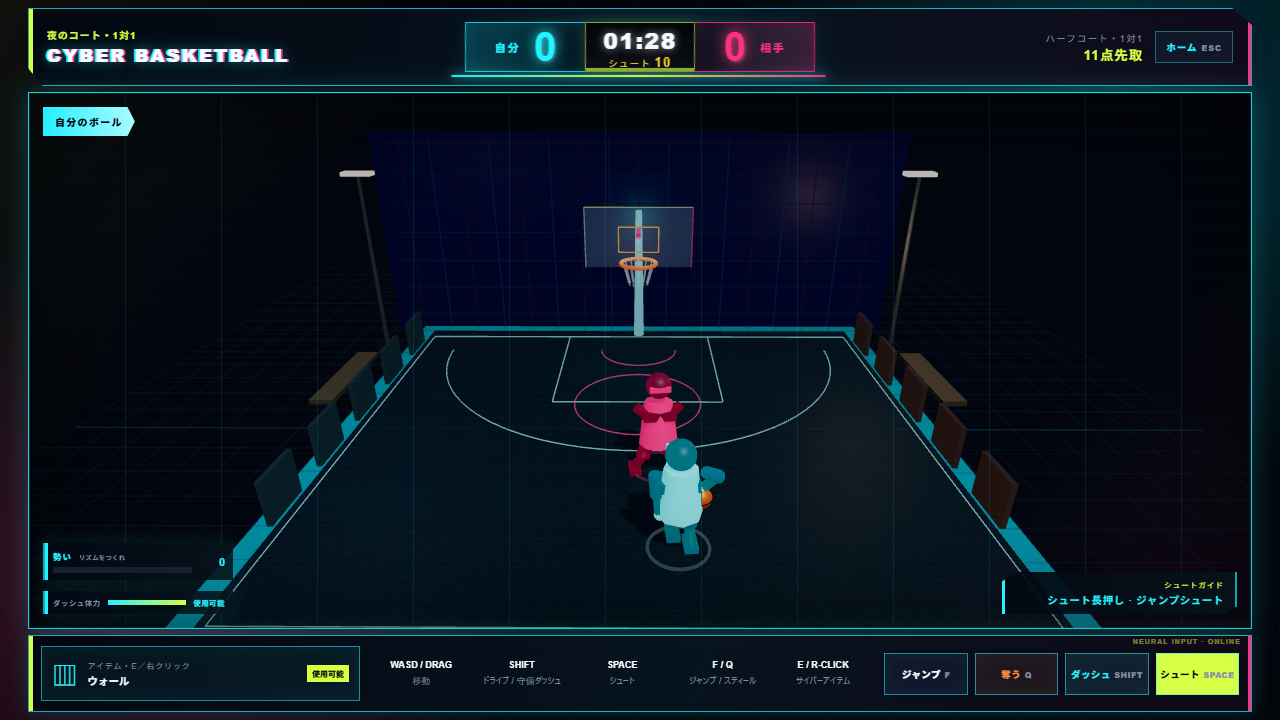
Start with the rules: reach 11 points
Cyber Basketball is a half-court one-on-one game against a CPU player. A regular basket is worth one point, while an outside shot is worth two. Aim to reach 11 points; tied games go into overtime. Special abilities and player training add choices, but begin by practicing movement, shooting, and defense.
When you have the ball, check the positions of the basket and defender. Switch to defense when the opponent has possession. Compare an outside two-point attempt with moving closer for one point, using the defender's distance to guide your choice.
Desktop and mobile controls
| Action | Desktop | Mobile |
|---|---|---|
| Move | WASD or arrow keys | Lower-left pad |
| Dash | Hold Shift while moving | Hold Dash while moving |
| Shoot | Hold Space, then release | Hold Shoot, then release |
| Jump | F | Tap Jump |
| Steal | Q | Tap Steal near the opponent |
| Use an item | E or right-click | Tap Item |
| Return home | Esc | On-screen home control |
On mobile, move with one hand and use the action buttons with the other. Practice shooting after movement rather than testing every button only while standing still.
Three things to try in your first match
- Move left and right to make space from the defender. Start without items so you can learn the normal movement distance.
- Practice holding and releasing Shoot. Near the basket, a half-second hold can initiate a dunk. Compare shooting from nearby and from farther away.
- On defense, move close to try Steal and use Jump against shots or dunks. After conceding, consider whether your positioning or jump timing needs adjustment.
If a shot does not release, check that you let go of the button: a regular shot uses a press followed by release. Instead of repeatedly jumping on defense, adjust your distance first so you can choose the next action.
Give each special ability a purpose
Cyber items such as Wall change movement routes or shooting lanes. Decide whether you want to create room for a shot or interrupt the opponent's approach before using one. An item becomes available again after 12 seconds, so connect offense and defense with normal controls in the meantime.
If the same shooting position keeps getting defended, compare a normal movement attempt with an attempt using an item first. This is a way to learn an effect, rather than a guaranteed scoring sequence against every opponent.
Training points and the tournament
Player abilities start at zero. Spend points on the home screen to improve abilities or unlock items. Each further increase becomes more expensive as an ability rises. Wins and tournament victories award points.
Choose an upgrade connected to an action that troubled you in the previous match. Try the same action in the next match to compare the result before improving several abilities at once.
The tournament consists of a quarterfinal, semifinal, and final. Opponents grow stronger as you advance; the bracket and opponent rank appear before and after matches. Learn the normal controls first. After losing, pick one thing to change: your shooting position, defensive position, or item timing.